
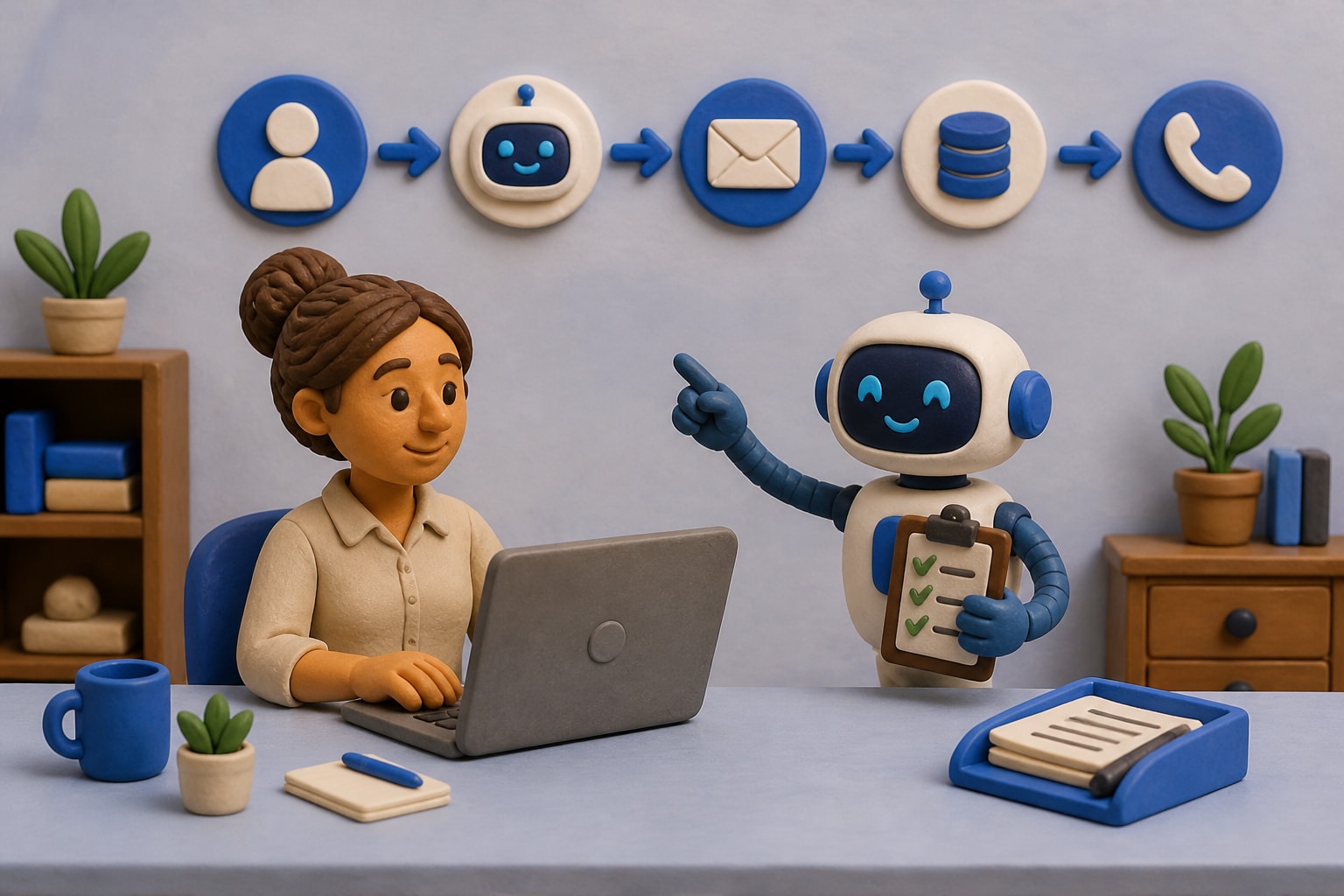
An AI CRM is customer software that uses AI to do the busywork your team does by hand: logging calls, scoring leads, writing follow-ups and flagging deals that are going cold. A regular CRM stores your data and waits for people to use it. An AI CRM acts on that data without waiting.
Here is a small example. A recruiting firm gets 40 new candidate and client inquiries a week. Each one needs a reply, a record, a score and a reminder. Someone on the team spends ten hours a week on that. An AI CRM can handle most of it in minutes, and the team only steps in for the human parts.
This guide covers what an AI CRM does, how it differs from a standard CRM, how to set one up, and where it breaks. It is written for owners and managers of agencies and service businesses who want less repeat work, not more software.
What Does an AI CRM Actually Do?
An AI CRM reads your customer data, finds patterns, and takes actions like drafting emails, updating records and ranking leads, so your team does less typing and more selling.
Think of a marketing agency with six salespeople. After every discovery call, each rep spends about 15 minutes typing notes, updating the deal stage and writing a follow-up email. Six reps, five calls a day each, is 450 minutes. That is 7.5 hours of typing every single day.
An AI CRM can do that in the background. It listens to the call transcript, writes the notes, moves the deal, and drafts the email. The rep reads it, fixes one line, and hits send.
The main jobs an AI CRM handles:
- Data entry. It logs emails, calls and meetings into the right record.
- Lead scoring. It ranks new leads by how likely they are to buy.
- Follow-up drafting. It writes the next email based on what the lead said.
- Deal alerts. It flags deals with no activity in days.
- Summaries. It turns a long thread into three lines.
- Forecasting. It estimates how much revenue will close this month.
Some of these are suggestions. Some are actions. That difference matters, and we cover it below.
How Is an AI CRM Different From a Standard CRM?
A standard CRM is a database that people fill in and read. An AI CRM adds a layer that reads, writes and decides on its own, so the database fills itself and tells you what to do next.
Here is the same Tuesday morning in both.
Standard CRM: A lead fills out your form. A row appears. Nobody sees it until someone checks the list. They read it, guess if it is a good lead, write an email from scratch, and set a reminder to follow up. Total time: 12 minutes, and only if someone remembers.
AI CRM: A lead fills out your form. The system checks the company, scores the lead, sends a reply within a minute, books a slot on the calendar if the score is high, and tells the rep. Total human time: about 30 seconds.
| Standard CRM | AI CRM | |
|---|---|---|
| Data entry | Typed by people | Filled by the system |
| Lead follow-up | Manual, often late | Automatic, within minutes |
| Lead ranking | Gut feel or simple rules | Scored from past results |
| Reporting | Built by hand | Generated on request |
| Needs clean data | Helpful | Required |
The last row is the one owners skip. An AI CRM is only as good as the records it reads. More on that in the setup section.
Is CRM Going to Be Replaced by AI?
No. AI is replacing the typing and the sorting inside the CRM, not the CRM itself. Your business still needs one place that holds who your customers are and what happened with them.
Picture a consulting firm that drops its CRM and uses a chat tool instead. Three months later, nobody can say which clients were promised a proposal, which invoices are late, or who spoke to whom. The chat tool has good answers, but no memory of the business. The firm has to rebuild the record, and the record is the CRM.
What changes is who does the work. The record stays. The AI reads from it, writes to it, and acts on it. Your reps stop being data clerks.
A good way to think about it: the CRM is the filing cabinet. AI is the assistant who files, finds, and drafts. You still need the cabinet.
How Can AI Be Used in CRM Across Sales, Support and Ops?
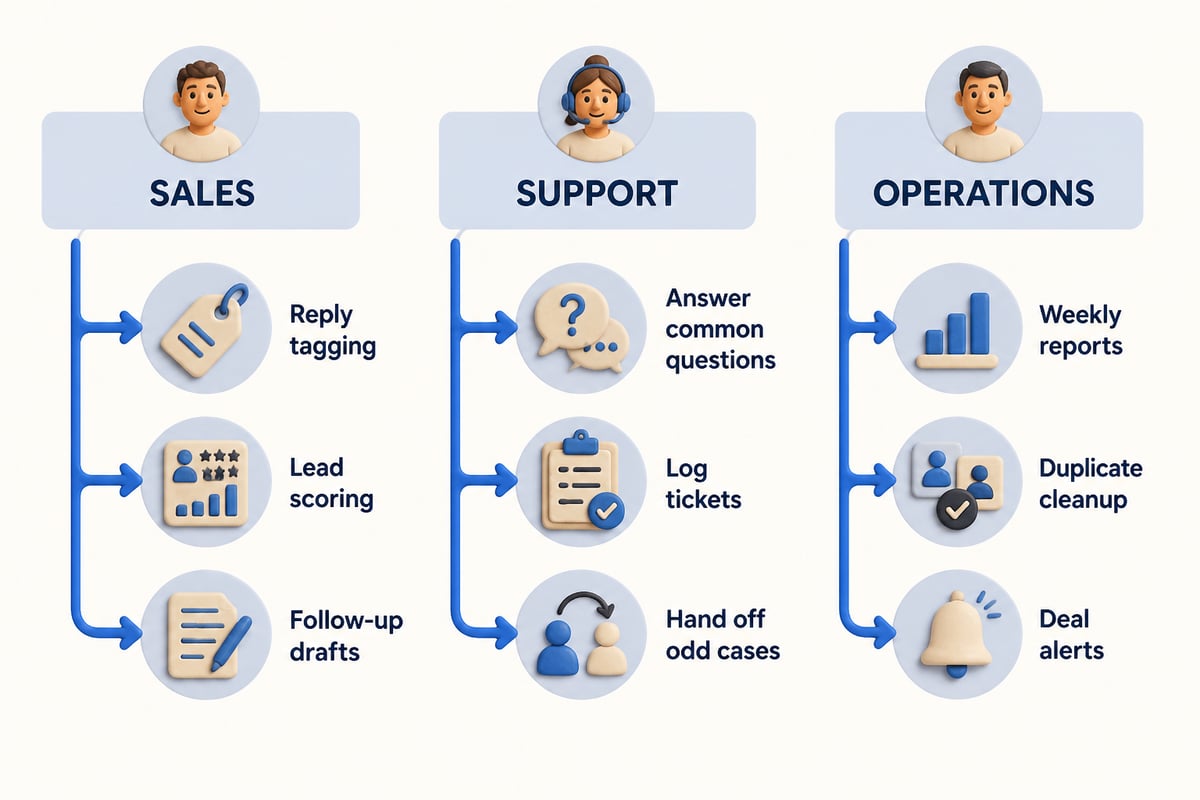
AI works in a CRM in three places: sales (follow-up and scoring), support (answering and routing tickets), and operations (reporting and cleanup). Each one targets repeat work that eats hours every week.
Sales
A recruiting firm sends 200 outreach emails a week and gets replies at all hours. An AI agent reads each reply, tags it as interested, not now, or wrong person, and moves the record. Interested replies go to a recruiter within five minutes. The rest get a polite, timed follow-up. For more on this use case, see our guide to AI in sales.
Support
A course seller gets 300 student questions a week. Most are the same ten: login problems, refund rules, where to find lesson four. An AI agent answers those from your help docs, logs each one against the student's record, and hands the odd ones to a person. A study of 5,172 customer-support agents found that access to a generative-AI assistant raised issues resolved per hour on average. Results varied by worker experience and skill, so treat the gain as a middle number, not a promise. Our piece on AI customer service goes deeper.
Operations
Every Monday, an agency owner wants a report: new leads, calls booked, deals won, revenue at risk. Someone pulls it from four places and pastes it into a slide. An AI agent can build it at 6 a.m. from the CRM and send it to Slack. Nobody touches it.
The pattern is the same in all three. Find the task that repeats, has clear rules, and happens often. Give it to an agent.
Can ChatGPT Make a CRM?
ChatGPT can help you design a CRM, write its fields and draft its emails, but it cannot be your CRM. It has no permanent record of your customers and cannot act inside your tools on its own.
A consultant can ask ChatGPT: "Give me a list of fields for a client record and a five-stage deal pipeline." The answer will be decent. The consultant can then paste those into a real CRM. That is a good use.
What ChatGPT alone cannot do:
- Remember every client from last year without being told again
- Watch your inbox and update a record when a reply arrives
- Keep one client's details away from another's
- Run at 3 a.m. with nobody typing a prompt
- Prove what it did and when
To get those, you need an agent connected to your CRM, your email and your calendar, with rules about what it may touch. That is a build job, not a prompt. If you want to see what that build looks like, read about AI agents for business.
What Are the Top CRM Platforms to Add AI To?
The three CRMs most teams start with are Salesforce, HubSpot and Zoho. All three now include AI features, and all three can connect to outside agents through their APIs.
Which one fits depends on size and habit, not on who has the best demo.
- Salesforce. Deep and flexible. Often too heavy for a team under 20 unless someone owns it full time.
- HubSpot. Easier to start. Popular with agencies and SaaS founders because marketing and sales sit in one place.
- Zoho. Lower cost, wide range of apps. Good for owners who want to stay lean.
Here is the point most owners miss. You rarely need to switch CRMs to get AI. If your team already uses one and the data is decent, the faster path is to add agents on top of it. Switching costs you months of cleanup and retraining. Adding agents costs you weeks.
A rule that works: keep your CRM if people use it daily and the records are mostly right. Switch only if nobody trusts the data or the tool blocks the connections you need.
What Should You Fix Before Turning On AI?
Fix your data first. AI reads your records and acts on them, so duplicates, blank fields and messy tags turn into wrong emails and wrong scores.
Hypothetical example: an agency may store the same client three times under different names. An AI agent could then read them as three prospects and send three follow-ups on the same day. Nothing is wrong with the AI in that case. The data is wrong.
Salesforce lists a clear order for this in its guide to preparing data for an AI CRM: unify customer data, remove duplicates, standardize fields and tags, organize your knowledge sources, then switch on the AI features. That order is good advice for any CRM, not just theirs.
A one-week cleanup checklist:
- Export your contacts and companies.
- Merge duplicates. Pick one name format and stick to it.
- Fill the five fields you actually use: name, company, email, source, stage.
- Delete or archive leads that are over two years old with no activity.
- Standardize your deal stages. Five or six is plenty.
- Write down your top 20 customer questions and their answers. This becomes the agent's knowledge.
Skip the fields nobody uses. Cleaning data you never read is wasted time.
How Do You Set Up an AI CRM Step by Step?
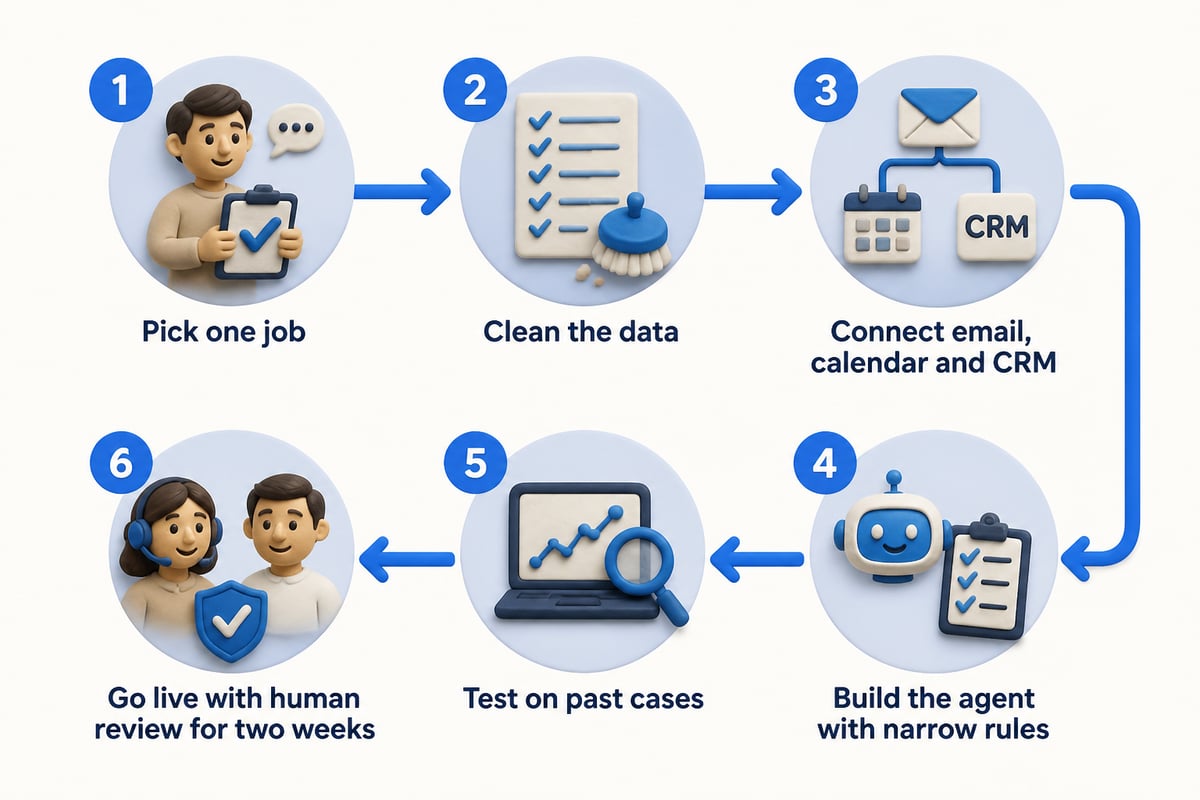
You set up an AI CRM in six steps: pick one job, clean the data, connect the tools, build the agent, test it against real cases, then go live with a human watching.
Start small. One job, one agent, one number to beat.
Step 1: Pick one job
Choose a task that repeats and has clear rules. Good first picks: replying to new leads within five minutes, logging call notes, or answering the top ten support questions. Bad first picks: "improve sales" or "handle everything".
Write the job in one sentence. If it needs the word "and" twice, it is two jobs.
Step 2: Clean the data
Use the checklist above. Give this a week, not a month.
Step 3: Connect the tools
The agent needs access to your CRM, your inbox, your calendar and any help docs. Give it the least access that gets the job done. If it only drafts replies, it does not need permission to delete records.
Step 4: Build the agent
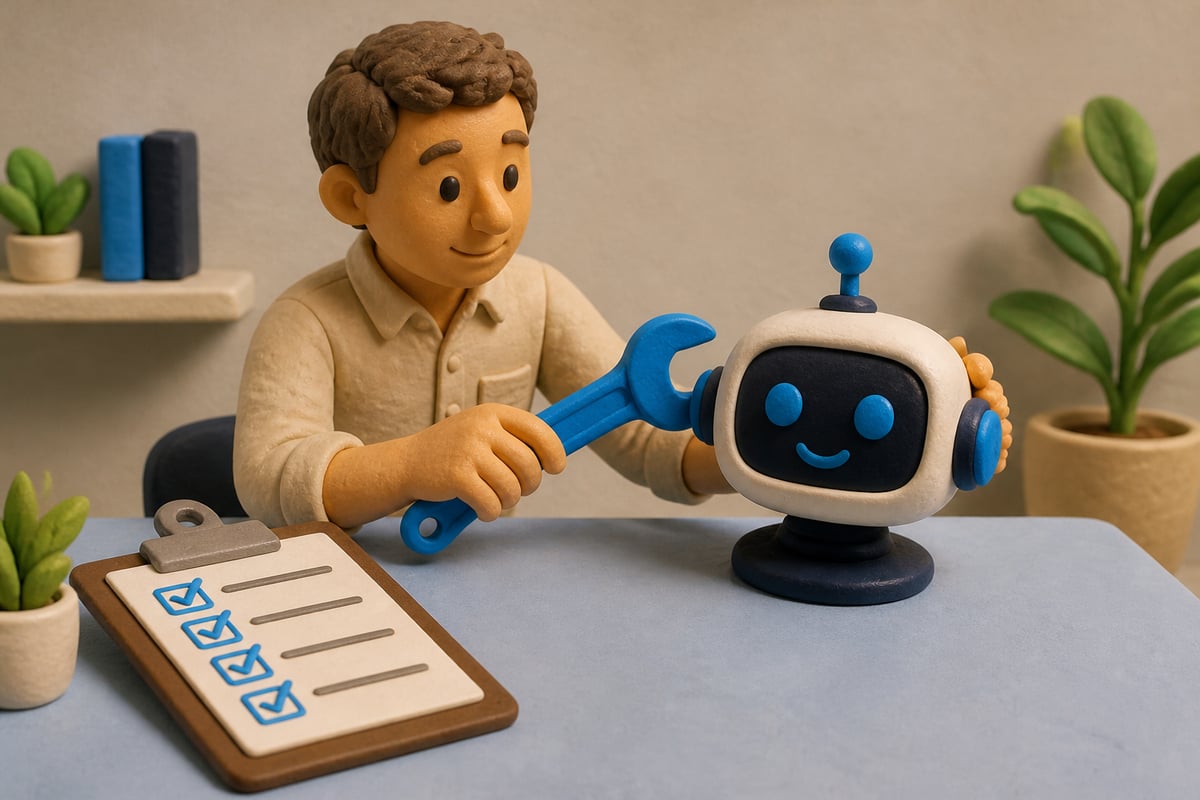
Keep the agent narrow. An agent that owns one job is easier to test, easier to trust and cheaper to run than one that tries to do five. If you want to understand how these pieces fit, our post on agentic workflows explains the basics.
Step 5: Test on past cases
Take 50 real past leads or tickets. Run them through the agent. Compare its answers to what your best person did. Count the misses. If it is wrong more than one time in twenty on a task that talks to customers, fix it before launch.
Step 6: Go live with review
For the first two weeks, have a person read what the agent sends before it goes out, or read a daily log. Then loosen the review as the numbers hold. Track three things: time saved, response time, and error count.
Vieerx follows this same pattern. Every agent owns one narrow job and runs without a human steering it, and each run uses the cheapest model that passes evaluation tests. That keeps cost down without losing accuracy.
What Does a Narrow AI Agent Look Like in Practice?
A narrow AI agent has one job, one set of tools and one clear way to measure it. A lead-reply agent, for example, only reads new leads, writes one reply and logs it.
Here is a hypothetical example for a marketing agency. No names, just a typical setup.
The agent: Lead responder. Trigger: A new form fill or inbound email. Steps: Read the message. Look up the company. Score the fit on three rules (team size, service needed, budget range). If the score is high, offer two call times. If low, send a helpful resource and tag as nurture. Limits: It never promises prices. It never edits existing deals. It never contacts a lead twice in one day. Measure: Time to first reply, and booked calls per 100 leads.
That last line matters. If you cannot say how you will measure the agent, you cannot say if it works.
Compare that with a vague agent called "sales assistant" that tries to qualify, write proposals, chase invoices and update the forecast. It will do all of those badly. Narrow beats broad. For a closer look at how to build agents like this, see our guide to an AI agent builder.
What Are the Risks of an AI CRM?
The main risks of an AI CRM are wrong actions, mixed-up customer data and privacy exposure. All three can be managed with narrow permissions, separate memory per user and a review period.
Wrong actions. An agent can send a bad email or tag a lead wrongly. Limit what it can do, test on past cases, and keep a log.
Mixed-up data. If an agent uses shared memory, one customer's details can leak into another's reply. That is a serious trust problem. Vieerx gives each user separate memory, so no user's information gets mixed with another's. Ask any provider you evaluate how they handle this.
Privacy. NIST notes that AI can create privacy risks, including re-identification and added insight about people that may increase behavioral tracking and surveillance. See the NIST page on cybersecurity, privacy and AI. For a CRM, that means: collect only what you need, keep sensitive notes out of the agent's reach, and know where the data is stored.
If you want a formal checklist, NIST released a voluntary AI Risk Management Framework and later a generative-AI risk profile to help organizations identify AI-specific risks. A 10-person agency does not need to follow the whole thing, but its questions are a good start: What can go wrong? Who is affected? How will we know?
How Long Does an AI CRM Take to Set Up, and What Should You Expect to Get?
A focused AI CRM project takes two to six weeks when you start with one job. The return you can plan on is time saved on repeat work and faster response to leads, both of which you can count.
Do the math before you start. Take the hours your team spends on the task each week, multiply by their hourly cost, and compare it to the build and tool cost. If the task takes 10 hours a week at $40 an hour, that is $400 a week, about $20,800 a year. An agent that handles 80% of it saves around $16,600 a year, before you count faster replies.
Vieerx puts a live working agent in place within 14 days of kick-off, and aims for real ROI in six weeks or less. Use those as the bar when you compare any option, whether you build in-house or hire out.
If you want to build yourself, a few honest options:
- No-code tools like n8n. Good for simple flows. Our n8n guide explains what it can and cannot do.
- Built-in AI from your CRM vendor. Fastest to switch on, limited in how far you can customize.
- A custom build. Slower to start, but fits your exact process and tools.
Pick based on how unusual your process is. A standard lead flow can run on built-in features. A recruiting firm with a custom candidate pipeline, or a consultancy with a multi-step proposal process, usually needs a custom build.
If you want agents built for your sales, support and ops work, with a crew that trains your team to build more on your own, look at Vieerx custom AI agents.
How Do You Know Your AI CRM Is Working?
You know it works when three numbers move in the right direction: time to first reply goes down, hours spent on admin go down, and booked calls or resolved tickets go up.
Write down your starting numbers before you launch. Without a baseline, you will argue about whether it helped.
Here is a simple scorecard:
| Measure | Before | Target after 30 days |
|---|---|---|
| Time to first reply on new leads | Your current average | Under 5 minutes |
| Hours per week on data entry | Your current total | Cut by half or more |
| Leads contacted within one day | Your current share | 100% |
| Agent errors found in review | Not applicable | Under 5% |
| Booked calls per 100 leads | Your current rate | Up from baseline |
Check weekly for the first month. If a number does not move, look at the data feeding the agent first, then the rules, then the tool. Most problems are in that order.
One more habit: review a random sample of 20 agent actions every week. Reading real outputs finds problems that dashboards miss.
FAQ
What is the first thing to automate in an AI CRM?
Start with lead follow-up. It repeats every day, has clear rules, and shows a result fast: time to first reply. Once that runs well, add call notes and weekly reports.
Do I need to replace my current CRM to use AI?
Usually no. If your team uses your CRM daily and the records are mostly right, add AI agents on top of it. Switch only if your data is unusable or your CRM blocks the connections you need.
Is an AI CRM safe for customer data?
It can be, if you set it up with care. Give the agent the least access it needs, keep each user's memory separate, log every action, and review outputs for the first two weeks. Ask any provider how they keep one customer's data apart from another's.
Your next step is to pick one repeat task in your sales or support flow and write down how many hours it takes each week. If you want a team to build the agent, connect it to your CRM and have it live in 14 days, book a demo with Vieerx and bring that number with you. You can also get a free demo at https://cal.com/tanvieerx/agentic-review.