

Business owners ask the same question in 2026. They know AI matters but they do not know what to build first. AI agents for business are the answer most people miss. These are not chatbots. They do not sit on your website and wait. They take actions. They send emails, book meetings, update CRM records, and handle tasks you used to pay people to do. A good agent works while you sleep. It does not call in sick. It does not quit after three months.
What AI Agents for Business Actually Do
A recruiting firm in Austin used to have three people on lead follow up. They sent emails, tracked responses, booked calls. The owner built an AI agent in September 2026. It reads inbound leads from their form, checks the CRM, sends a first email in under two minutes, waits three days, sends a follow up if no reply, and books the call when someone says yes. The three people now work on client relationships, not data entry.
That is what ai agents for business do. They run tasks from start to finish without you watching.
The Three Types Most Businesses Use
Sales agents handle outbound and inbound leads. They send emails, qualify prospects, book meetings, and update your pipeline. A marketing agency with twelve employees uses one to follow up with every demo request. It asks three questions, scores the lead, and either books a call or adds them to a nurture sequence.
Support agents answer questions and solve problems. They read tickets, check your knowledge base, draft replies, and escalate the tough ones. A course seller with 400 students uses one to handle login issues and refund requests. It solves about 60% without human help, according to their Q3 2026 data.
Ops agents do the repeat work that slows you down. Invoicing, reporting, data transfer between tools. A consulting firm uses one to pull time entries from Harvest, check against project budgets, and send a weekly report to each client. It runs every Friday at 4 PM.

Where AI Agents Fit Inside a Service Business
Most owners think they need AI everywhere. They do not. You need it where repeat work happens and where speed matters.
A SaaS founder told us in October 2026 that he spent four hours every Monday pulling signup data, checking payment status, and emailing new users. His ops agent now does it in six minutes. He spends Monday mornings on product work.
Start With One High Volume Task
Pick the task you do most often and hate most. Lead follow up is the top answer for agencies. Support ticket triage is second for course sellers. Reporting is third for consultants.
Do not build five agents at once. Build one. Make it work. Then add the next.
| Task Type | Best For | Time Saved Per Week |
|---|---|---|
| Lead follow up | Agencies with 20+ inbound leads per week | 8-12 hours |
| Ticket triage | Course sellers with 50+ support requests per week | 10-15 hours |
| Client reporting | Consultants with 5+ active clients | 4-6 hours |
Source: Vieerx client data from Q3 and Q4 2026 across 18 service businesses.
Connect It to the Tools You Already Use
AI agents for business work because they plug into your existing tools. They do not replace your CRM or your email. They use them.
A recruiting firm uses Clay for lead data, HubSpot for their pipeline, and Gmail for outreach. Their sales agent reads Clay, writes the email, sends it through Gmail, and logs it in HubSpot. No new logins. No new dashboards.
Most agents run on platforms like n8n or Make. These connect to hundreds of tools. You tell the agent what to do when something happens. Lead fills out form, agent checks if they are in CRM, agent sends email, agent books meeting if they reply yes.
The OpenAI developer guide for building autonomous agents shows how to connect models to tools and memory. It is written for engineers but the examples are clear.
How to Build an AI Agent That Actually Works
A marketing agency tried to build an agent in July 2026. They wanted it to handle everything. Leads, support, invoicing, social posts. It failed in two weeks. Too many tasks. Too many edge cases. They rebuilt it in August. One job only. Follow up with demo requests. It worked.
Define One Job and One Success Metric
Write down what the agent does in one sentence. If you need two sentences, it is too much.
Good examples:
- Send a follow up email three days after a lead downloads our guide
- Check support tickets tagged urgent and draft a reply within ten minutes
- Pull last week's project hours and email a summary to each client
Bad examples:
- Handle all our marketing
- Manage customer relationships
- Do sales stuff
Pick one number to track. Emails sent. Tickets resolved. Meetings booked. Check it every week.
Build the Workflow Before You Add AI
Most people start with the AI. They should start with the steps.
A consulting firm wanted an agent to handle proposal requests. They mapped it first:
- Lead fills out form on website
- Check if lead is already in CRM
- If yes, update record and notify account owner
- If no, create new record
- Send email with proposal template link
- Wait 3 days
- If no reply, send follow up
- If yes, book call
They built that workflow in n8n without AI first. It worked. Then they added Claude to write the emails based on form responses. Now it handles 40 proposals per month.
Anthropic published research in 2026 on building effective agents that covers design principles and safety controls. Their guidance on breaking tasks into steps matches what we see work in production.

The Mistakes Most Businesses Make With AI Agents
A course seller spent $8,000 on an AI chatbot in June 2026. It sat on their website. It answered questions. Nobody used it. They had 12 conversations in three months. The owner thought AI agents for business did not work. A chatbot that only waits for visitors often fails, so our guide to AI chatbot for business shows how to build one that acts.
The problem was not AI. The problem was waiting for customers to start the conversation. Good agents do not wait. They act.
Mistake One: Building Agents That Wait
Chatbots wait. Agents act. A sales agent does not wait for a lead to ask a question. It sees the lead, checks the data, sends the email.
A recruiting firm switched from a chatbot to an outbound agent in September 2026. The chatbot had 8 conversations per month. The agent sent 200 emails per month and booked 30 calls. Same AI model. Different approach.
Mistake Two: No Human in the Loop for High Stakes Tasks
Some tasks need approval. Contract changes, refunds over $500, urgent client issues. Your agent should draft the response and send it to you. Not send it directly.
A marketing agency learned this in August 2026. Their support agent auto approved a refund for $2,400. The client had asked to pause their retainer, not cancel it. The agent misread the request. Now all refunds over $500 go to the owner first.
Mistake Three: Building Before You Know What You Need
Most owners build an agent because everyone else is building one. They do not know what problem it solves.
Ask three questions before you build:
- What task takes the most time each week?
- What task do we do the same way every time?
- What task causes the most bottlenecks?
If you cannot answer all three, you are not ready to build.
Where AI Agents Work Best in 2026
Service businesses with 5 to 50 people get the most value. You have enough volume to justify automation but not enough people to hire specialists for every task.
A marketing agency with 8 people used to spend 15 hours per week on lead follow up. They built a sales agent in October 2026. It handles the first three touches. The team jumps in when a lead replies. They saved 12 hours per week. That is $3,000 in labor cost at $50 per hour.
Industries Seeing the Biggest Impact
Marketing agencies use sales agents for outbound and lead nurture. Support agents handle client questions about campaigns and reporting. Ops agents pull data from Google Ads, Meta, and analytics tools and send weekly reports.
Recruiting firms use sales agents to follow up with candidates and clients. Support agents answer common questions about job listings and application status. Ops agents match candidates to open roles based on resume data.
Consultants use sales agents for discovery call booking. Support agents handle scope questions and contract changes. Ops agents track time, check budgets, and send invoices.
Course sellers use support agents for student questions and login issues. Ops agents handle enrollment, payment tracking, and completion reminders. Sales agents follow up with people who started checkout but did not finish.
SaaS founders use support agents for tier one technical support. Sales agents for trial follow up and upgrade prompts. Ops agents for usage reporting and churn alerts.
| Industry | Top Use Case | Average Time Saved |
|---|---|---|
| Marketing agencies | Client reporting | 10 hours/week |
| Recruiting firms | Candidate follow up | 14 hours/week |
| Consultants | Proposal creation | 6 hours/week |
| Course sellers | Student support | 12 hours/week |
Source: UC Berkeley research on governing agentic enterprises published in California Management Review, March 2026.
The Role of Done for You Services
Most businesses do not want to build agents themselves. They want someone to build it, test it, and hand them a working system.
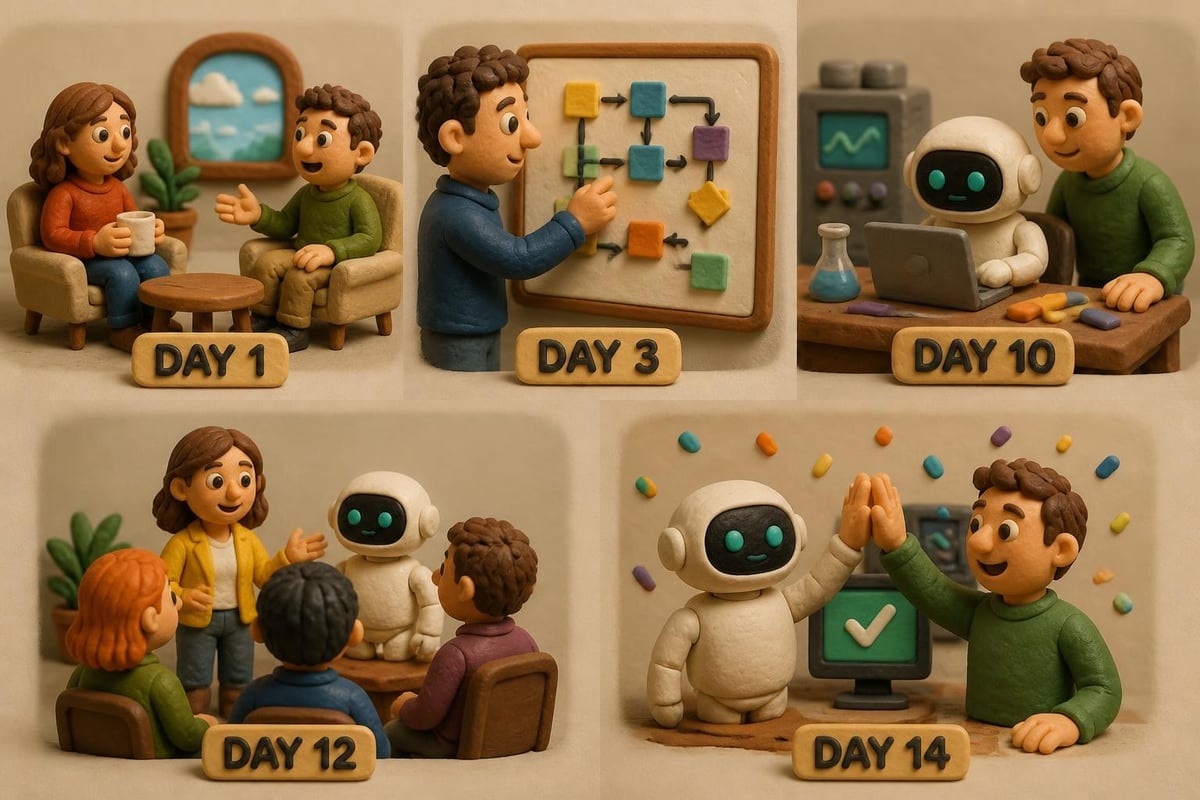
Custom AI agents built for your specific tools and workflows can go live in two weeks. You describe the task, the builder maps the workflow, codes the agent, tests it on real data, and trains your team. You do not touch the code.
A consulting firm hired a builder in September 2026. They wanted an agent to handle intake forms and booking. The builder delivered it in 13 days. It has booked 87 calls since launch with zero errors.
How to Measure if Your AI Agent is Working
A SaaS founder built a support agent in August 2026. It answered questions. It sounded smart. But he did not know if it worked. He tracked nothing.
Three weeks later he added tracking. The agent resolved 58% of tickets without human help. Average resolution time dropped from 4 hours to 22 minutes. He knew it worked because he measured it.
The Five Metrics That Matter
Task completion rate is the percent of tasks the agent finishes without human help. A good sales agent completes 80% of first follow ups. A good support agent resolves 50 to 70% of tier one tickets.
Time to completion is how long the agent takes to finish a task. A sales agent should send a follow up email in under 5 minutes. A support agent should draft a reply in under 3 minutes.
Error rate is how often the agent does the wrong thing. Sends an email to the wrong person. Books a meeting at the wrong time. Pulls the wrong data. Aim for under 2% errors.
Human intervention rate is how often someone has to step in and fix something. Lower is better. Under 10% is good for most tasks.
Cost per task is what you spend on AI versus what you used to spend on people. A follow up email costs about $0.03 in API calls. A person costs $5 to $15 in loaded labor. Good agents save 90% or more.
Track Weekly, Adjust Monthly
Check your metrics every Monday. Look for patterns. Did error rate spike? Did completion rate drop? Something changed in your workflow or your data.
Adjust the agent once per month. Do not tweak it every day. Let it run. Collect data. Make changes based on what the data shows, not what you think might help.
A recruiting firm checks their sales agent every Monday morning. They look at emails sent, replies received, meetings booked, and errors logged. If meetings booked drops below 15 per week, they review the email copy and offer. If errors spike above 5%, they check what changed in their CRM or lead source.
What AI Agents Cannot Do Yet in 2026
AI agents for business are good at tasks with clear steps and clear rules. They are bad at tasks that need judgment, creativity, or deep context.
A marketing agency tried to use an agent to write strategy decks for clients in July 2026. The agent could pull data and format slides. But it could not decide which metrics mattered most or what story to tell. The strategy lead still writes the decks. The agent just speeds up the data work.
Tasks That Still Need Humans
Complex decisions where the right answer depends on context humans understand better. Pricing a custom project. Deciding if a client is a good fit. Choosing which marketing channel to focus on.
Creative work that needs a unique point of view. Writing thought leadership content. Designing a brand. Planning a campaign concept.
High stakes negotiations where relationships and trust matter. Closing a $50,000 deal. Handling an angry client. Renegotiating a contract.
Ambiguous problems where the steps are not clear. A client says their campaign is not working but does not know why. You need to diagnose before you act.
Agents are great co pilots. They are not great pilots. Let them handle the repeat work. You handle the decisions.
According to a 2024 survey on LLM based autonomous agents published in Frontiers of Computer Science, current systems excel at structured tasks but struggle with open ended reasoning and context dependent judgment. The research confirms what we see in production.
How to Start With AI Agents in the Next 30 Days
A course seller wanted to start with AI agents in October 2026. She had no technical background. She built her first agent in 18 days using n8n and Claude. It now handles 40% of her support tickets.
Her process works for most service businesses.
Week One: Pick the Task
List every repeat task you do weekly. Lead follow up. Ticket responses. Reporting. Invoicing. Data entry. Booking.
Pick the one that takes the most time and follows the same steps every time. That is your first agent.
Write down the steps in plain English. Do not skip steps. If you check your CRM before you send an email, write that down.
Week Two: Map the Workflow
Open a tool like n8n, Make, or Zapier. Build the workflow without AI first. Just the triggers and actions.
Example for lead follow up:
- Trigger: New row in Google Sheets
- Action: Check if email exists in HubSpot
- Action: If yes, update record
- Action: If no, create record
- Action: Send email via Gmail
- Action: Wait 3 days
- Trigger: Check for reply
- Action: If reply, send Slack message to sales team
- Action: If no reply, send follow up email
Test it with fake data. Make sure every step works.
Week Three: Add AI and Test
Add Claude or GPT to write the emails based on your lead data. Start with simple prompts. Name, company, what they downloaded.
Test it on 10 real leads. Check every email before it sends. Look for mistakes. Adjust your prompt.
Week Four: Go Live
Let it run on real data. Check it every day for the first week. Fix errors fast. After a week, check it once per week.
Track your metrics from day one. Emails sent. Replies received. Errors logged.
A Microsoft Research report on autonomous agents for desktop and web applications covers practical benchmarks and system design for real world testing. Their experiments show the importance of iterative testing with production data.
The Cost of Building vs Buying AI Agents
A marketing agency owner asked in September 2026 if he should build his own agent or hire someone. He had basic tech skills. He had built Zapier workflows before.
He spent 40 hours over three weeks building a sales agent. It worked but it had bugs. It sent 3 emails to the wrong leads in the first week. He spent another 15 hours fixing it. Total time: 55 hours. At $100 per hour, that is $5,500 in his time.
He could have hired a builder for $3,000 and got it in two weeks with zero bugs.
When to Build It Yourself
You should build your own agent if:
- You have built automations before on n8n, Make, or Zapier
- The task is simple with fewer than 10 steps
- You have 20+ hours to spend on it
- You want to learn how agents work
Most agency owners do not have 20 hours. They should buy.
When to Hire a Builder
You should hire someone if:
- You have never built an automation before
- The task has more than 10 steps or connects 3+ tools
- You need it working in under two weeks
- You do not want to debug errors at 11 PM
Builders charge $2,000 to $8,000 depending on complexity. Most service business agents cost $3,000 to $5,000. You get a working system, training, and support.
The math is simple. A sales agent that books 4 extra calls per month is worth $10,000+ in new revenue for most agencies. It pays for itself in month one.
The Future of AI Agents for Business in 2027 and Beyond
The NIST guidance on agentic AI risk management released in 2026 addresses governance and safety for autonomous systems at scale. Federal agencies now require risk assessments for any AI agent that handles sensitive data or high stakes tasks.
Service businesses will need to follow those guidelines as agents become more common. You will need to document what your agent does, how it makes decisions, and what happens when it fails.
What Will Change
Agents will get better at tasks that need judgment. A sales agent in 2027 will read a LinkedIn profile and adjust the email based on job title, industry, and recent posts. A support agent will detect tone in a ticket and escalate angry customers automatically.
More tools will have built in agents. Your CRM will have an agent that updates records and sends follow ups. Your project management tool will have an agent that moves tasks and sends reminders. You will not need to build as much from scratch.
Regulation will increase. States will require disclosure when an AI agent handles customer data or makes purchasing decisions. You will need to tell customers when an agent is responding, not a human.
What Will Not Change
Agents will still be best at repeat tasks with clear steps. They will still need humans for strategy, creativity, and complex judgment. They will still make mistakes. You will still need to track metrics and fix errors.
The businesses that win will use agents for the repeat work and focus people on the decisions. That approach works today. It will work in 2027.
Research on graph augmented LLM agents from 2025 explores how graph structures improve planning and memory. These advances will make agents smarter at multi step tasks, but the core use cases for service businesses will remain the same.
FAQ
How long does it take to build an AI agent for my business?
A simple agent with one task takes 10 to 20 hours if you build it yourself. A builder can deliver it in 14 days or less. Complex agents with multiple tools and decision points take 3 to 4 weeks.
Do I need to know how to code?
No. Tools like n8n and Make let you build agents with visual workflows. You connect blocks. You do not write code. Adding AI like Claude or GPT requires writing prompts, not code. If you can write an email, you can write a prompt.
What happens if the agent makes a mistake?
You set up a human in the loop for high stakes tasks. The agent drafts the action and sends it to you for approval. For low stakes tasks, you track errors and fix the workflow. Most mistakes happen in the first two weeks. After that, error rates drop below 2% if you built the workflow correctly.
AI agents for business save time on repeat tasks and free you up for strategy and growth. Most service businesses with 5 to 50 people can save 10 to 20 hours per week with one or two agents. Vieerx builds custom sales, support, and ops agents that plug into your existing tools and go live in 14 days. We work with agencies, recruiting firms, consultants, and course sellers who know AI matters but need help figuring out what to build first. Book a free demo at https://cal.com/tanvieerx/agentic-review.