
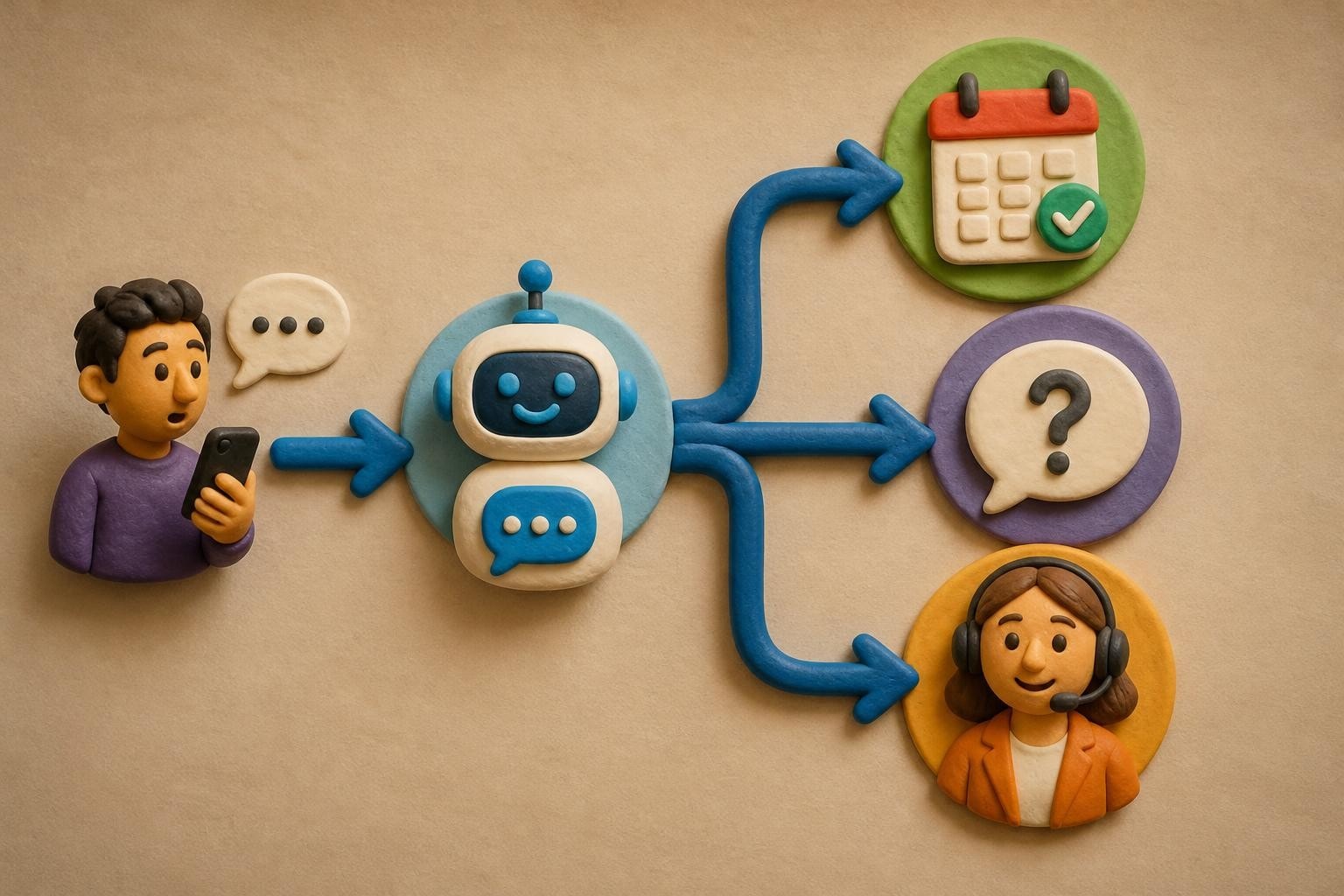
An accounting firm in Austin gets 40 emails every Monday asking about tax prep. Half want a quote. The other half want to know if the firm does estate planning. The owner built an ai chatbot for business that reads every email, sorts the questions, and books meetings with the right team member. That saves 8 hours every week.
That same chatbot answers the estate planning question automatically. It pulls the answer from a doc the firm already wrote. The bot books a consult for the quote requests and sends a calendar link. No human touches the inbox until someone shows up for their meeting.
This is not a future thing. It is working now. Agencies, recruiting firms, and consultants are running systems like this in 2026. The tech is stable. The cost is low. The hard part is knowing what to build and how to connect it to your tools.
Why Most Business Chatbots Fail
A marketing agency spent $12,000 on a chatbot last year. The vendor promised it would qualify leads and handle support tickets. Six months later, the bot was answering 11% of questions correctly. The team turned it off.
The problem was not the AI. The problem was the instructions. The vendor copied generic prompts from the internet and never trained the bot on real client questions. Every answer sounded helpful but solved nothing.
Here is what breaks most ai chatbot for business projects:
- Vague instructions: The bot does not know what a qualified lead looks like for your business.
- No access to data: It cannot check your CRM, calendar, or knowledge base.
- Wrong tone: It talks like a corporate press release when your clients expect casual answers.
- No handoff plan: When the bot gets stuck, it just loops instead of sending the chat to a human.
A working chatbot needs three things. First, clear rules about what it should and should not do. Second, real time access to your systems so it can check facts and update records. Third, a simple way to escalate to your team when it hits a question it cannot solve. Harvard Business Review found that businesses using AI as a strategic tool outperform those deploying it without clear criteria for success.

The fix is not a bigger model or more features. It is writing better prompts, connecting the bot to the right tools, and testing it on real questions before you go live.
What an AI Chatbot for Business Actually Does
A recruiting firm books 30 candidate calls every week. Before the chatbot, a coordinator spent two hours a day emailing back and forth to find a time. Now the bot reads the candidate's email, checks the recruiter's calendar, and sends three available slots. The candidate picks one. The meeting lands on the calendar. Total time: 90 seconds. For phone-based intake and booking, our AI receptionist guide for agencies explains how a similar setup handles calls.
That is the most common use case. Booking meetings. Your chatbot reads an inquiry, figures out what type of meeting the person needs, checks who is available, and sends a link. No coordination. No double bookings.
Lead Qualification
A SaaS founder gets 50 demo requests a month. Half are students or people who cannot afford the product. The chatbot asks three questions before it books the demo. What is your role? How many people on your team? What is your budget?
If the answers match the ideal customer profile, the bot books a call with sales. If not, it sends a link to the self serve trial and a video tutorial. The founder only talks to people who are ready to buy.
Support Triage
A consultancy has 80 active clients. Clients email questions about invoices, project timelines, and scope changes. The chatbot reads every email and sorts them into three buckets.
- Billing questions: Bot pulls the invoice from QuickBooks and emails it back.
- Timeline questions: Bot checks the project management tool and replies with the current due date.
- Scope changes: Bot forwards the email to the account manager with a summary.
The team only sees emails that need a human decision. Everything else gets answered in under a minute.
| Use Case | Before Chatbot | After Chatbot | Time Saved |
|---|---|---|---|
| Meeting booking | 2 hrs/day | 10 min/day | 1.8 hrs/day |
| Lead qualification | 45 min/day | 5 min/day | 40 min/day |
| Support triage | 3 hrs/day | 30 min/day | 2.5 hrs/day |
These numbers come from agencies running systems we built. The time savings are real. The work is not guessing or strategy. It is repeating the same steps every time.
How to Pick the Right Tasks for a Chatbot
Not every task should go to a bot. A coaching business tried automating discovery calls. The bot asked the prospects about their goals and challenges. Then it summarized the answers and sent them to the coach.
The problem was that discovery calls are where trust starts. Prospects wanted to talk to the coach, not a form. The bot felt like a barrier. Bookings dropped 30%. The business turned it off and went back to Calendly.
The rule is simple. Automate tasks where speed matters more than connection. Automate questions with clear right answers. Keep humans in the loop for decisions, negotiations, and anything that builds trust. For a wider look at where agents fit across sales, support, and operations, see our guide to AI agents for business.
Good Fits for Chatbots
- Booking meetings when someone already wants one
- Answering the same question 50 times a month
- Sorting incoming requests by type or urgency
- Checking a database and returning a fact
- Sending reminders about deadlines or next steps
Bad Fits for Chatbots
- First sales calls where rapport matters
- Handling complaints from angry clients
- Negotiating contracts or pricing
- Giving advice that requires judgment
- Anything with legal or compliance risk
A recruiting agency built a chatbot that asks candidates for their resume, LinkedIn, and availability. That works because candidates expect a process. The same agency keeps human recruiters on all client intake calls because clients want to feel heard.
The Capgemini Research Institute studied customer preferences and found that 62% of consumers are comfortable with bots for simple tasks but expect a human for complex issues. Your clients think the same way.
Start with one task. Pick something you do 10 times a week that follows the same steps every time. Build the bot for that. Test it for two weeks. Fix what breaks. Then add the next task.
Building vs Buying a Business Chatbot
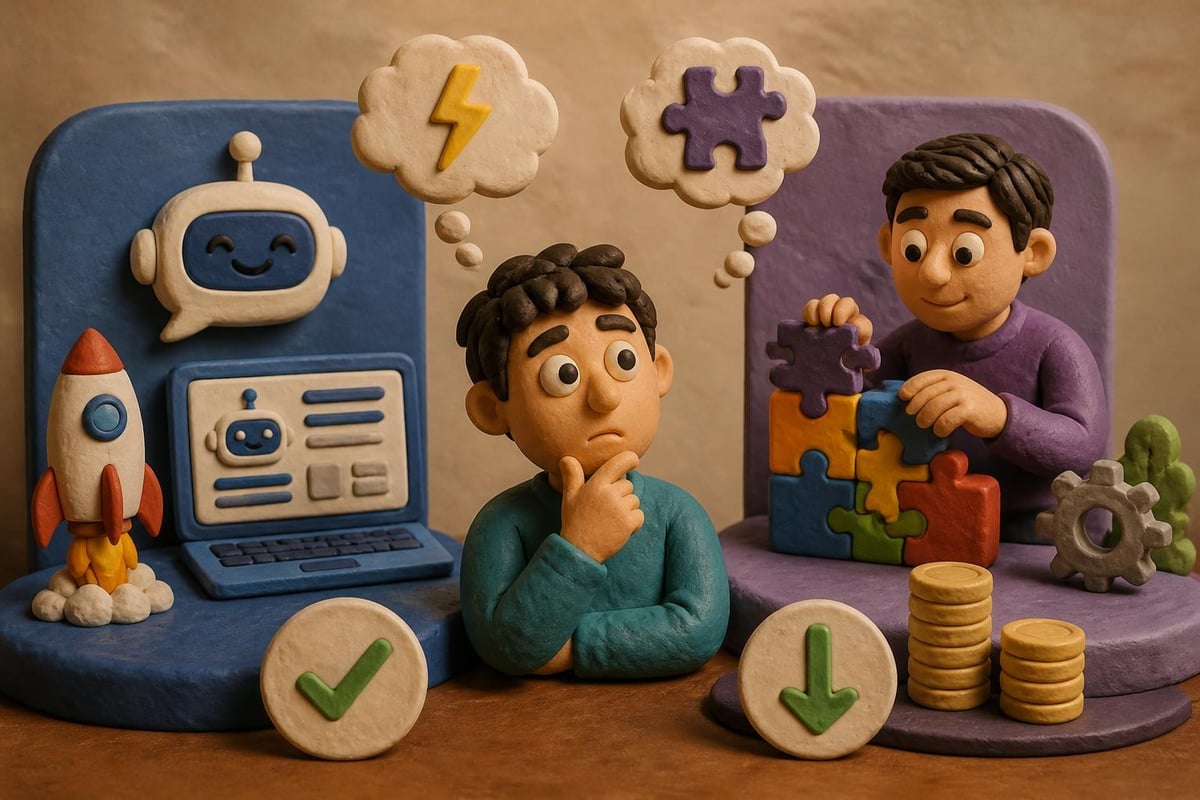
A consulting firm looked at three options for adding an ai chatbot for business to their site. Option one was a $300 monthly SaaS tool with templates. Option two was hiring a developer to build a custom bot for $15,000. Option three was using a no code tool and doing it themselves.
They picked option one. The SaaS tool looked easy. It had a drag and drop builder and connected to their CRM. But after two months, they were still stuck. The templates did not match their process. The integrations only worked one way. They could not customize the logic.
They switched to option two. A developer built exactly what they needed. The bot read emails, checked the calendar, updated the CRM, and sent Slack notifications when a hot lead came in. It cost more up front but saved 15 hours a week once it worked.
SaaS Tools
Pros:
- Fast setup, usually live in a few hours
- Pre built integrations with common tools
- Support team to call when things break
- Monthly pricing, easy to cancel
Cons:
- Limited customization, you get their workflow
- Expensive at scale, pricing jumps with usage
- Data stays on their servers
- Hard to connect to internal tools
Popular tools include Drift, Intercom, and Zendesk bots. They work if your process matches their templates. They break when you need something specific.
Custom Build
Pros:
- Exact fit for your workflow
- Full control over data and logic
- Connect to any tool you use
- One time cost, no monthly fees
Cons:
- Takes longer to build, usually 2 to 4 weeks
- Requires technical help to maintain
- Higher up front cost
- You own the bugs and fixes
A custom AI agent built for your business costs more at first but costs less over three years. You also get a system that does exactly what you need instead of what the SaaS vendor decided.
No Code Platforms
Tools like Zapier, Make, and n8n let you build workflows without writing code. You can connect a chatbot to your CRM, email, and calendar using visual builders. This works for simple automations. It gets messy when you need complex logic or error handling.
A marketing agency used Make to build a lead bot. It worked great for three months. Then Make changed their API pricing and the cost tripled. The agency had to rebuild the whole thing on n8n to keep the budget under control.
No code is a good middle option. Faster than custom, cheaper than SaaS, but you need someone on the team who understands how APIs work.
Connecting Your Chatbot to Real Systems
A chatbot that only answers questions is a FAQ page with extra steps. The value comes when it can check your calendar, update your CRM, pull data from your project management tool, and send Slack messages to your team.
A course seller built a bot that handles refund requests. When someone emails asking for a refund, the bot checks Stripe to see if they are within the 30 day window. If yes, it processes the refund and sends a confirmation. If no, it explains the policy and offers a credit instead. The bot updates the CRM with a note about the interaction.
That bot touches four systems. Email to read the request. Stripe to check the payment date and process the refund. The CRM to log the interaction. Email again to send the response. A human used to do all of that. Now it happens in 90 seconds.
Common Integrations
- CRM: Check if someone is already a client, log every interaction, update deal stages
- Calendar: Check availability, book meetings, send reminders, reschedule when someone cancels
- Email: Read incoming messages, send replies, forward to teammates, track threads
- Slack or Teams: Notify your team when a hot lead comes in or a client escalates an issue
- Payment tools: Check subscription status, process refunds, send invoices
The hard part is authentication. Your chatbot needs permission to access each tool. Some tools use API keys. Some use OAuth. Some require webhook setups. If you are not technical, this is where you get stuck.
An agency tried building a bot on their own. They spent six hours figuring out how to authenticate with HubSpot. Then another four hours debugging why the bot could read contacts but not create deals. They gave up and hired someone to finish it.
The NIST AI Risk Management Framework provides guidance on secure data handling and access controls, which matters when your chatbot touches client records and financial systems.
Writing Prompts That Get Consistent Answers
A recruiting firm built a chatbot to screen candidates. The first version of the prompt said "ask the candidate about their experience and decide if they are a good fit." The bot asked vague questions and gave vague answers. Half the qualified candidates got rejected.
The firm rewrote the prompt with specific criteria. "Ask about years of experience in sales, quota attainment in the last role, and familiarity with Salesforce. A good fit has 3+ years, hit quota in at least two quarters, and used Salesforce daily. If they meet all three, book a call. If they meet two, send them to the application form. If they meet one or zero, send a polite decline."
The new prompt worked. The bot started booking the right candidates and filtering out the wrong ones. The difference was specificity.
Prompt Writing Rules
Tell the bot exactly what a good outcome looks like. Not "be helpful." Say "if the person asks about pricing, send them the pricing PDF and ask if they want a demo."
Give examples of real questions and the right answers. Show the bot three actual client emails and how you would reply. It will learn the pattern.
Define edge cases. What should the bot do if someone is rude? What if they ask for something you do not offer? Write the rule.
Set a tone. Do you want formal or casual? Short or detailed? Give the bot a sample reply that matches your voice.
Test with real data. Do not test with made up questions. Use 20 actual emails or chats from the last month and see how the bot replies.
OpenAI's prompt engineering guide shows how small changes in wording can shift behavior. A prompt that says "you are a helpful assistant" gets different results than "you are a sales agent for a recruiting firm that only books calls with qualified candidates."
A SaaS founder tested two prompts. The first said "answer questions about the product." The second said "if someone asks how the product works, link to the help docs. If they ask about pricing, send the pricing page. If they want a demo, book one. Do not answer questions about integrations we do not support." The second prompt gave accurate answers. The first one made up features.
Measuring Whether Your Chatbot Works
A marketing agency launched a chatbot and declared it a success because it handled 200 conversations in the first month. But when the owner looked closer, only 12 of those conversations led to booked meetings. The rest were people asking questions the bot could not answer or bailing halfway through.
Conversation volume is not the metric. The metric is how many tasks the bot completes that you used to do manually.
Metrics That Matter
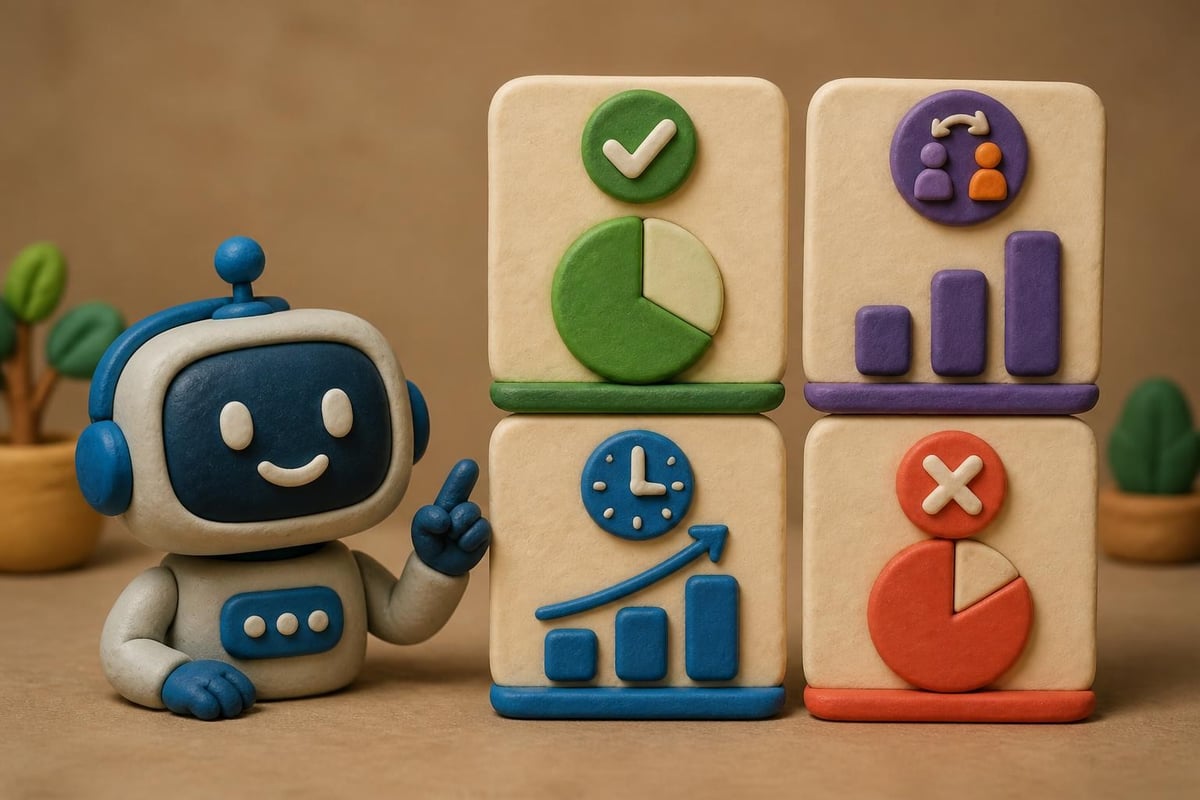
- Task completion rate: How many chats end with the intended outcome (booked meeting, answered question, updated record)?
- Handoff rate: How often does the bot give up and send the chat to a human?
- Time saved per week: How many hours of manual work did the bot eliminate?
- Error rate: How often does the bot give a wrong answer or take a wrong action?
A consultancy tracks all four. Their chatbot books meetings with a 78% completion rate. That means 78 out of 100 people who start a chat end up with a meeting on the calendar. The handoff rate is 9%, meaning the bot only escalates 9 out of 100 chats to a human. That saves the team 12 hours a week. The error rate is under 2%, mostly calendar sync issues.
Those are real numbers. The consultancy reviews them every two weeks and tweaks the prompts when the completion rate drops.
| Metric | Good Target | Red Flag |
|---|---|---|
| Task completion | 70%+ | Under 50% |
| Handoff rate | Under 15% | Over 30% |
| Time saved | 5+ hrs/week | Under 2 hrs/week |
| Error rate | Under 5% | Over 10% |
If your chatbot is not hitting these targets, something is wrong. Either the prompts need work, the integrations are breaking, or you picked the wrong task to automate.
A course seller found that their chatbot had a 40% completion rate. They dug into the transcripts and saw that people were asking about payment plans, which the bot was not trained to handle. They added a payment plan script to the prompt. Completion rate jumped to 71% in one week.
You can check these metrics in your chatbot platform or by exporting chat logs to a spreadsheet. Review them monthly. Fix what breaks. Keep what works.
Common Mistakes and How to Avoid Them
A recruiting firm built a chatbot that asked candidates 12 questions before booking a call. The average candidate answered three questions and then left. The firm thought the bot was broken. The bot was fine. The problem was asking too much.
The firm cut it down to three questions. Name, email, and role. Completion rate went from 22% to 68%. People will not sit through a quiz to talk to you.
Mistake 1: Over Automating
You do not need to automate everything on day one. Start with one task. Get it working. Then add the next one. A SaaS founder tried automating lead qualification, support tickets, and billing questions all at once. None of them worked well. He shut it all down and started over with just lead qualification. That one task saved him six hours a week.
Mistake 2: No Human Backup
Your chatbot will get stuck. Someone will ask a question it was not trained on. Someone will want to talk to a person. If the bot does not have a clear way to escalate, the person will leave angry.
A consultancy built a chatbot with no handoff option. Clients kept asking for help and the bot kept looping. The consultancy lost three clients before they added a "talk to a human" button.
Mistake 3: Ignoring the Data
Your chatbot logs every conversation. Those logs show you what people actually want. A marketing agency saw that 40% of chatbot conversations were about pricing. They were sending people to a 10 page pricing doc. They rewrote the bot to answer the three most common pricing questions directly. Support tickets dropped by half.
Mistake 4: Treating It Like a Project, Not a System
You do not build a chatbot once and walk away. You build it, test it, fix it, and improve it every month. The best bots get better over time because someone is watching the data and updating the prompts.
A course seller reviews chatbot transcripts every Friday. She finds one thing that broke and fixes it. After six months, the bot went from 50% accuracy to 89% accuracy. Not because the AI got smarter, but because the prompts got clearer.
Microsoft's guidance on conversational AI best practices emphasizes iterative testing and human review, especially for business critical interactions.
Real Use Cases in Agencies and Service Businesses
A marketing agency gets 20 leads a week from their website. Before the chatbot, someone had to email every lead, ask qualifying questions, and schedule a discovery call. That took 90 minutes a day.
Now the chatbot reads the lead form, asks three questions (budget, timeline, and services needed), and books a call if the lead qualifies. Unqualified leads get sent to a case study library and a self serve audit tool. The agency only talks to people who are ready to spend money. Time saved: 10 hours a week.
Recruiting Firms
A recruiting firm uses a chatbot to handle candidate outreach. When a recruiter finds a candidate on LinkedIn, they send a message with a link to the chatbot. The bot asks about experience, availability, and salary expectations. If the candidate is a fit, it books an intro call. If not, it adds them to a nurture list for future roles.
The firm went from booking 8 candidate calls a week to 23. Same team size. Same recruiter time. The bot just handles the back and forth.
Consultants
A strategy consultant gets inquiry emails from potential clients. Half are from people who cannot afford the retainer. The chatbot asks about company size and budget before booking a call. Small companies get sent to a $500 self serve course. Larger companies get a call on the calendar.
The consultant now spends time with qualified prospects instead of explaining pricing to people who will never hire him.
Course Sellers
A course seller has 400 students. Students email questions about login issues, certificate downloads, and course content. The chatbot checks the student's enrollment status and either resets their password, sends the certificate, or points them to the right module. Support emails dropped from 50 a week to 12.
SaaS Founders
A SaaS founder uses a chatbot to demo the product. When someone books a demo, the bot sends a video walkthrough and asks them to try three features before the call. People show up to the demo already knowing how the product works. Close rate went from 18% to 31% because prospects were more engaged.
You can see how much an ai chatbot for business might save your team by running the numbers on Vieerx's model calculator. Input your current hours spent on support, booking, and qualification and it shows the time saved.
Costs and Timeline to Build
A recruiting firm asked how much a chatbot costs. The answer depends on what you want it to do and who builds it.
A basic SaaS chatbot that answers FAQs costs $50 to $200 a month. It works in an hour. You type in your questions and answers. The tool handles the rest. No customization. No integrations. Just a chat widget on your site.
A mid level chatbot that books meetings and updates your CRM costs $2,000 to $5,000 to build. It takes two to three weeks. You need a developer or an agency to connect it to your tools and write the logic. Once it is live, there are no monthly fees unless you are using a paid AI model.
A full system that handles sales, support, and ops tasks costs $8,000 to $20,000. It takes four to six weeks. You get a chatbot that reads emails, books meetings, qualifies leads, updates records, and escalates to humans when needed. That system saves 20 to 40 hours a week for a team of 10 people.
Cost Breakdown
| Type | Build Cost | Monthly Cost | Time to Live |
|---|---|---|---|
| SaaS FAQ bot | $0 | $50-$200 | Same day |
| Booking + CRM bot | $2,000-$5,000 | $20-$50 | 2-3 weeks |
| Full agent system | $8,000-$20,000 | $50-$150 | 4-6 weeks |
Monthly costs include AI model usage (OpenAI or Claude), hosting, and any third party tool subscriptions. Most teams spend $30 to $100 a month once the bot is running.
A marketing agency spent $4,200 building a chatbot that qualifies leads and books calls. It saves them 14 hours a week. At $50 an hour (what they pay their coordinator), that is $700 a week or $36,400 a year. The bot paid for itself in six weeks.
The timeline matters. A SaaS tool is faster but less useful. A custom build takes longer but does more. Most agencies pick custom because they need the bot to fit their process, not the other way around.
AWS Lex documentation outlines conversation design best practices that can shorten build time when you plan intents and flows before development starts.
What to Do Before You Build
A consulting firm wanted a chatbot but had no idea what to automate. They spent two weeks tracking every task their team did. They found that booking meetings took 11 hours a week and answering the same five client questions took another 8 hours.
They built the chatbot to do those two things. It worked because they knew exactly what problem they were solving.
Steps to Take First
Track your time for one week. Write down every task you or your team does that involves answering questions, booking meetings, or updating records.
Pick the task you do most often. Not the most annoying task. The one you repeat 10+ times a week.
Document the steps. Write out exactly how you do that task today. If it is booking a call, write every question you ask and every tool you check.
List the tools you use. The chatbot will need access to those tools. Make a list with login details and API documentation links.
Write 10 example questions or requests. Pull real emails or chats from the last month. The chatbot builder needs these to write good prompts.
A recruiting firm did this and found that 60% of their inbox was candidates asking about open roles. They built a chatbot that checks their ATS and emails back a list of matching jobs. That one task saved 9 hours a week.
If you skip this step, you will build a bot that does not fit your workflow. You will spend money fixing it later.
FAQ
How long does it take to build an ai chatbot for business?
A basic SaaS chatbot goes live the same day. A custom bot that connects to your CRM and calendar takes two to three weeks. A full agent system that handles multiple tasks takes four to six weeks. The timeline depends on how many tools it needs to access and how complex your workflow is.
Can a chatbot work with tools I already use?
Yes. Most chatbots can connect to common tools like Google Calendar, HubSpot, Salesforce, Slack, and Stripe. If you use a less common tool, the chatbot can still connect if that tool has an API. Custom builds give you more flexibility to integrate with internal systems.
What happens when the chatbot cannot answer a question?
A good chatbot has a handoff rule. When it does not know the answer, it sends the chat to a human or puts the request in a queue. You set the rule when you build the bot. Some bots send a Slack message to your team. Some forward the email. Some schedule a call. You decide.
Building an ai chatbot for business saves time if you pick the right task and connect it to your systems. Most agencies and service businesses start with meeting booking or lead qualification and expand from there.
If you know AI matters but do not know what to build first, Vieerx builds custom AI agents and automations for agencies and service businesses. Sales agents, support agents, ops agents. Live in 14 days. We figure out what to automate, build it, and plug it into your tools.
Book a free demo at https://cal.com/tanvieerx/agentic-review.